> For the complete documentation index, see [llms.txt](https://docs.ocutrap.com/llms.txt). Markdown versions of documentation pages are available by appending `.md` to page URLs; this page is available as [Markdown](https://docs.ocutrap.com/troubleshooting/wire-exposed.md).

# Wire Exposed

#### What You Are Seeing

Sometimes the smaller internal wires (red and black) are visible where the cable enters the metal connector on the motor cable. This is usually not a big deal, but over time it can reduce waterproofing at that connection.
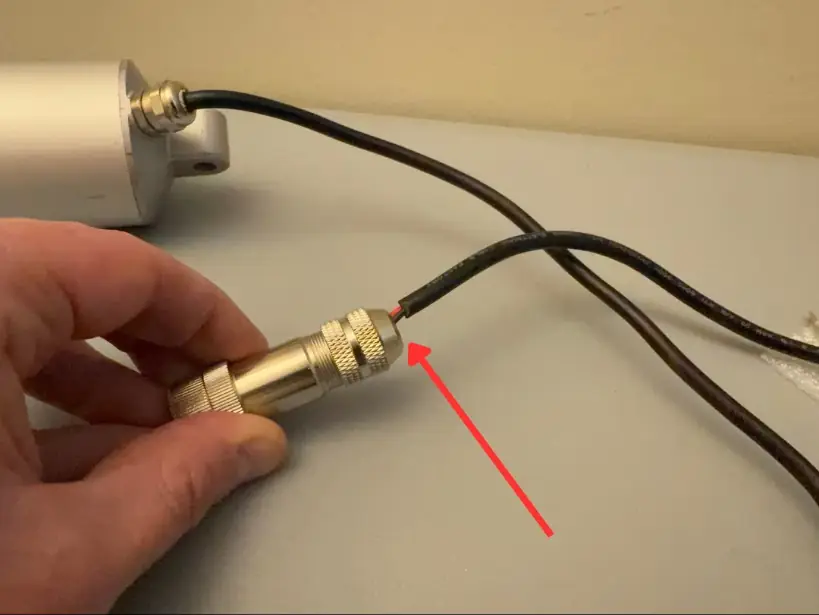
<figure><img src="/files/mK5ryFQTtnupCaHEj1u4" alt="Exposed red and black internal wires at the motor cable connector"><figcaption></figcaption></figure>

#### How to Fix

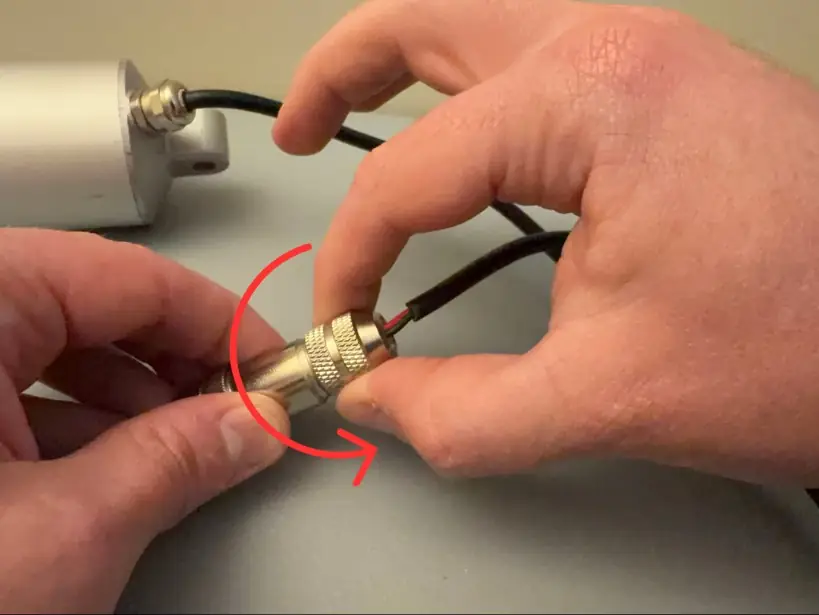
1. **Loosen the connector.** Hold the smooth center base with one hand and rotate the knurled top part **counter-clockwise** until the cable is loose.

<figure><img src="/files/rBjo8m0S229ku4hTU9kJ" alt="Loosen the connector by rotating the top part counter-clockwise"><figcaption></figcaption></figure>

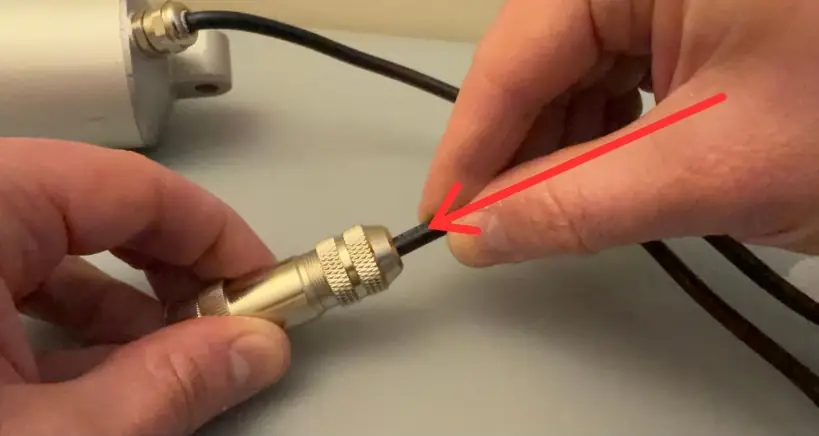
2. **Push the cable in.** Push the cable into the connector until the red and black wires are no longer exposed, and a bit farther to improve the waterproof seal.
<figure><img src="/files/i9SGfe5biFp4IrIxMML5" alt="Push the cable into the connector until internal wires are covered"><figcaption></figcaption></figure>

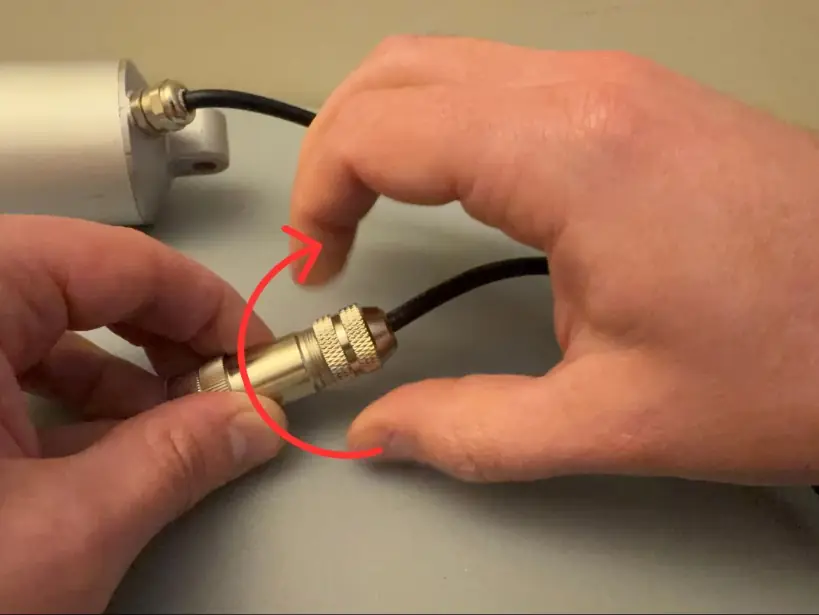
3. **Tighten the connector.** While keeping light pressure on the cable so it stays seated, rotate the top part **clockwise** to tighten the connector.

<figure><img src="/files/iNGYsUayh34FfoZ29nYl" alt="Tighten the connector clockwise while holding the cable in place"><figcaption></figcaption></figure>

4. **Check the result.** The cable should sit fully inside the connector with no internal wires visible.
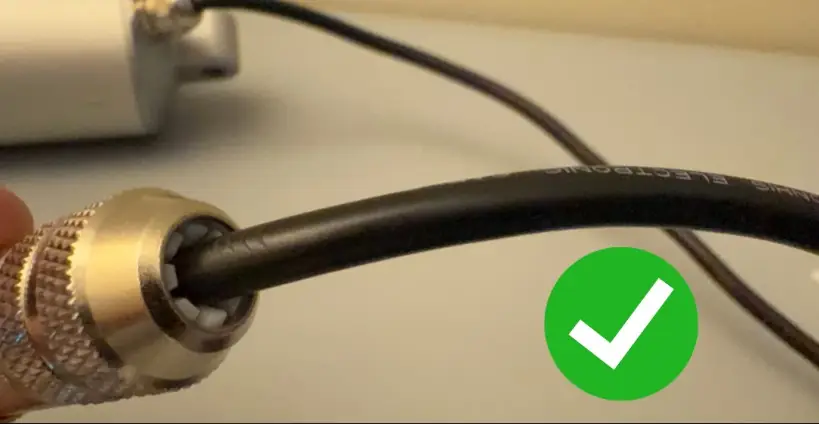
<figure><img src="/files/W33CGe89xrxtCNLs5A5n" alt="Correct cable connection with no exposed internal wires"><figcaption></figcaption></figure>


---

# Agent Instructions
This documentation is published with GitBook. GitBook is the documentation platform designed so that both humans and AI agents can read, navigate, and reason over technical content effectively. Learn more at gitbook.com.

## Querying This Documentation
If you need additional information that is not directly available in this page, you can query the documentation dynamically by asking a question.

Perform an HTTP GET request on the current page URL with the `ask` query parameter:

```
GET https://docs.ocutrap.com/troubleshooting/wire-exposed.md?ask=<question>
```

The question should be specific, self-contained, and written in natural language.
The response will contain a direct answer to the question and relevant excerpts and sources from the documentation.

Use this mechanism when the answer is not explicitly present in the current page, you need clarification or additional context, or you want to retrieve related documentation sections.